Two new blocks are in the Add block picker, and Text blocks have a whole new set of looks.
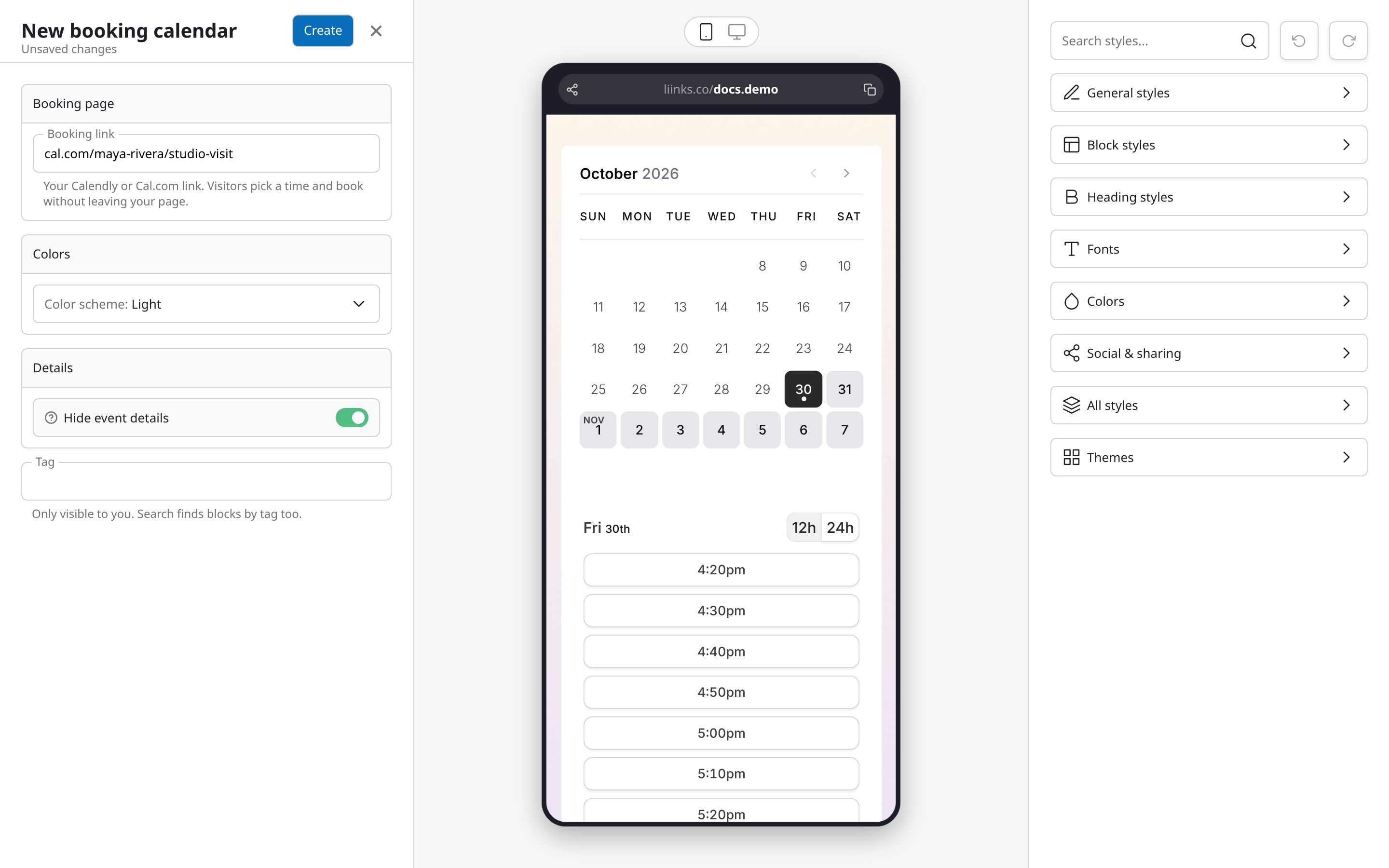
Booking calendar. Let visitors book a call, a class, or an appointment without leaving your page. Paste your Calendly or Cal.com link and your booking calendar sits right on the page. Keep it light or dark, or set your own background, text, and highlight colors to match your page (on Calendly, dark and custom colors need one of its paid plans), and hide the event details if you only want the calendar. Every confirmed booking counts as a click in your analytics. Find Booking calendar under Connect with visitors when you click Add block.
Discount code. Share a brand or affiliate code as a coupon card. Visitors tap the code to copy it and tap the offer to open your link, and a badge on the block in your editor shows how many people copied it. Place a few codes one after another and visitors swipe through them. Add a gate to trade the code for an email address: the code stays hidden until the visitor unlocks it. Find Discount code under Share resources.
Paper styles for text. A new Style section in the Text block editor turns your words into a sticky note, a speech bubble, a scrap of torn paper, a chalkboard, or a card. Each style comes with its own row of color swatches, plus tilt, tape, and handwriting fonts where they fit. There's also a Sticky note card under Tell my story that starts a Text block as a taped-on note, ready for a booking cutoff or a sale.
See Booking Calendar Block, Discount Code Block, and Text Block for the details.