Editing on a phone has been rebuilt around one idea: you should be looking at your actual profile the whole time you are changing it.
Your profile now fills the screen, at the full width of your phone rather than shrunk into a little frame. The editor rides over it in a sheet.
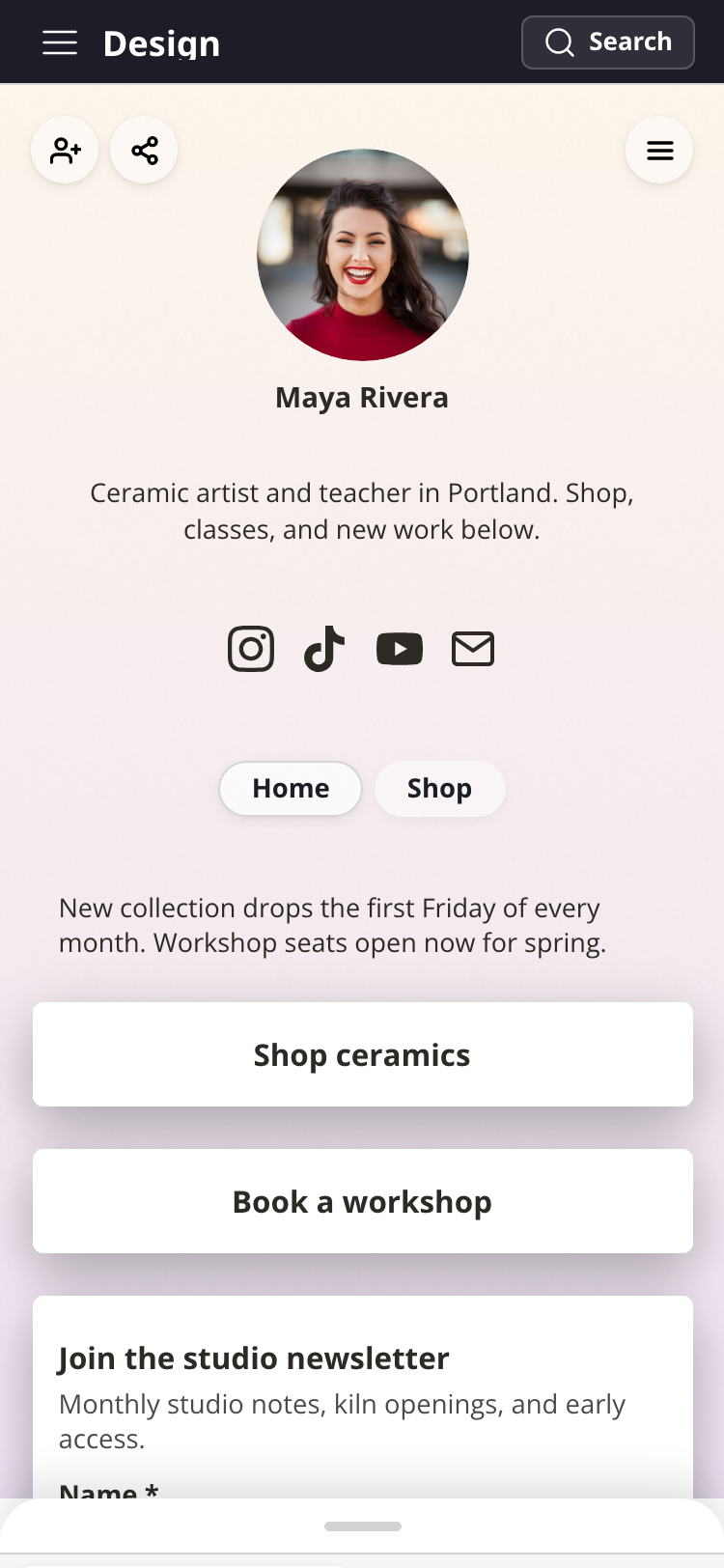
The sheet moves. Drag the handle at its top to size it however you want, or tap the handle to cycle through four positions: tucked away, a small peek, half the screen, and nearly full. It opens at half, and returns there each time you open a block so the block and its first fields are both in view. Moving the sheet never costs you anything, so an open block and a half-typed field survive it.
Tucking the sheet down replaces preview mode. The old eye button is gone. To look at your profile with nothing on top of it, slide the sheet to the bottom and the page fills the screen. Tap anywhere to bring the sheet back, and that tap does nothing else, so you cannot open a block by accident on the way.
Your dashboard leads with your profile. On a phone the dashboard now opens on a preview of your page rather than a list of numbers. Tap it and your profile opens full height, scrollable and tappable the way a visitor gets it, with Edit one tap away.
Tapping a block to edit it works exactly as before, and so does tapping your header or social icons to jump to those sections.
See Editing your profile on your phone for the full tour.