Klaviyo, Flodesk, and Kit (formerly ConvertKit) now join Mailchimp, so new subscribers from your forms can go straight to the email service you already use.
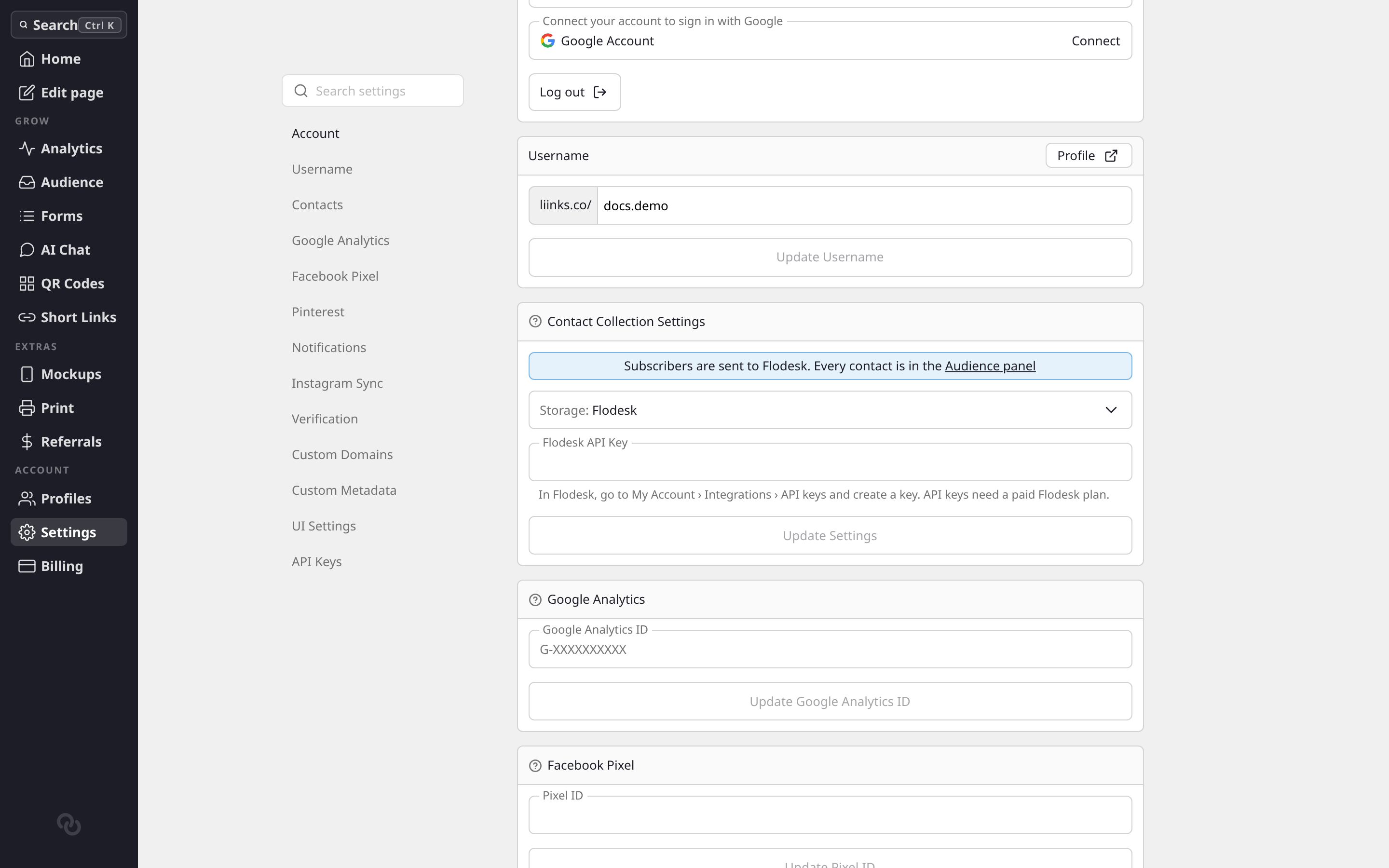
Connect your email service. Open Settings and go to Contacts. Under Storage, pick your service, paste an API key from it, and choose where new subscribers should go: a Klaviyo list, a Flodesk segment, a Kit form, or a Mailchimp audience. Liinks checks the key as you paste it and tells you if something is wrong. Names from your form's Name field come along to Klaviyo, Flodesk, and Kit.
Choose who subscribes. Each form with Create new contacts on has a new Subscribe to emails setting:
- Everyone: everyone who sends the form is subscribed. Right for newsletter and waitlist forms.
- Ask with a tick box: the form shows an unticked "Add me to the mailing list" box, and only visitors who tick it are subscribed.
- No one: people are saved as contacts, but nobody is subscribed.
So someone who just sent an enquiry or booked a call isn't added to your newsletter unless they ask. New contact, booking, RSVP, lead, and shipping forms start on the tick box, and sign-up forms start on Everyone. Your existing forms are set to Everyone, so they keep working exactly as they did.
See who's subscribed. Your Audience now has a Status column and tabs for Everyone, Subscribed, and Not subscribed. Only subscribers are sent to your email service, and Export CSV downloads the tab you're on.
See Send subscribers to your email service for where each service keeps its API key, and Forms for the new setting.