Mockups has been rebuilt as a 3D studio. Open it and your page is captured and dropped onto a phone you can actually turn around, light, and place on a backdrop, instead of a flat image with a shadow behind it.
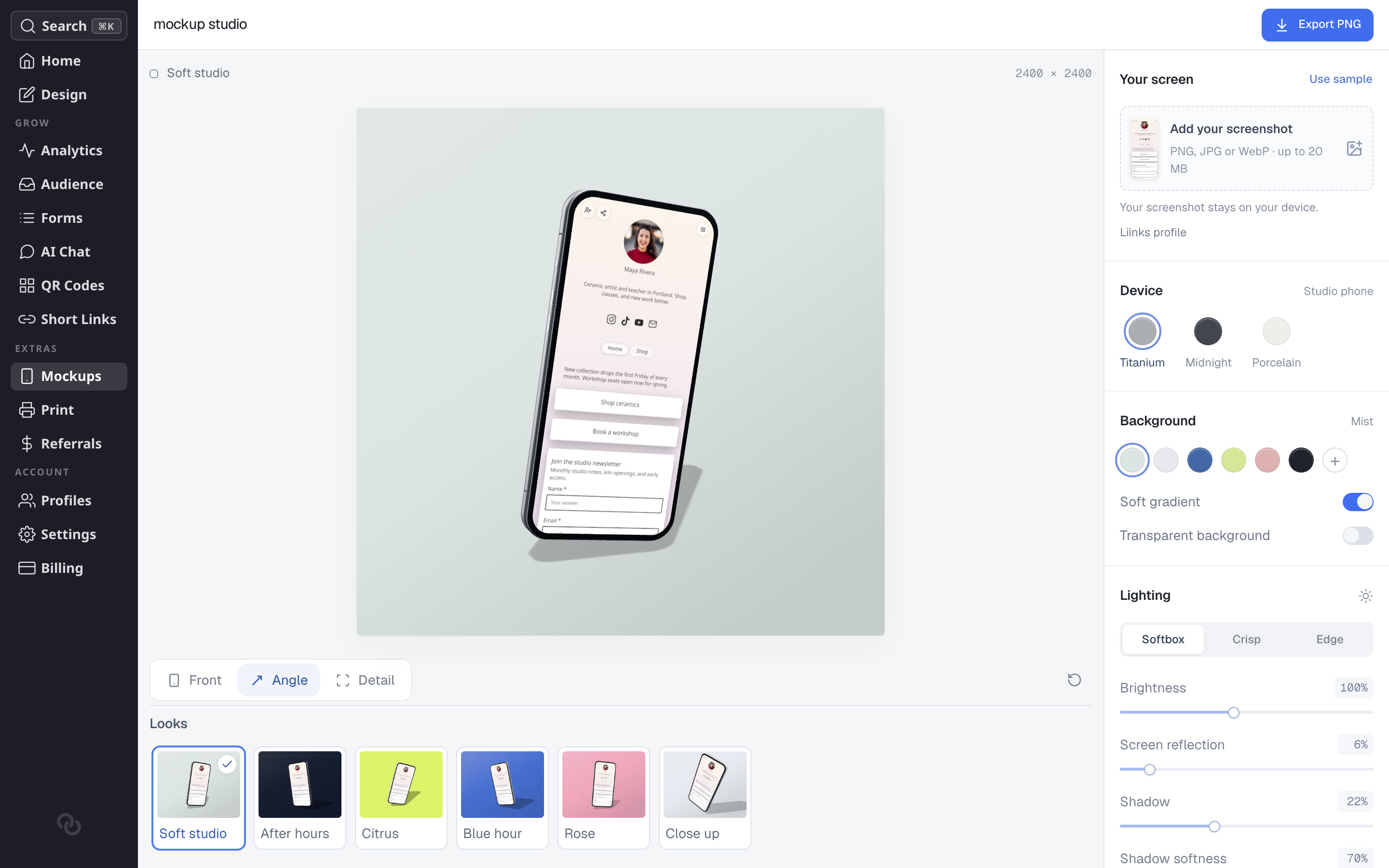
Start from one of six looks along the bottom, then change whatever you want:
- Device in a Titanium, Midnight or Porcelain finish.
- Background from a swatch or your own color, with a soft gradient, or transparent so you can drop the phone onto something else.
- Lighting as softbox, crisp or edge, plus brightness, screen reflection, shadow and shadow softness.
- Camera you can drag to any angle, with quick Front, Angle and Detail positions and exact rotation, elevation, roll and scale underneath.
- Canvas in square, portrait or landscape, exported between 1,200 and 3,200 pixels wide.
You can also put a different screenshot on the phone rather than your page, as a PNG, JPG or WebP.
The scene renders in your browser, so nothing waits on a server and exports carry no watermark.
See Create Mockups of Your Page for what each control does.