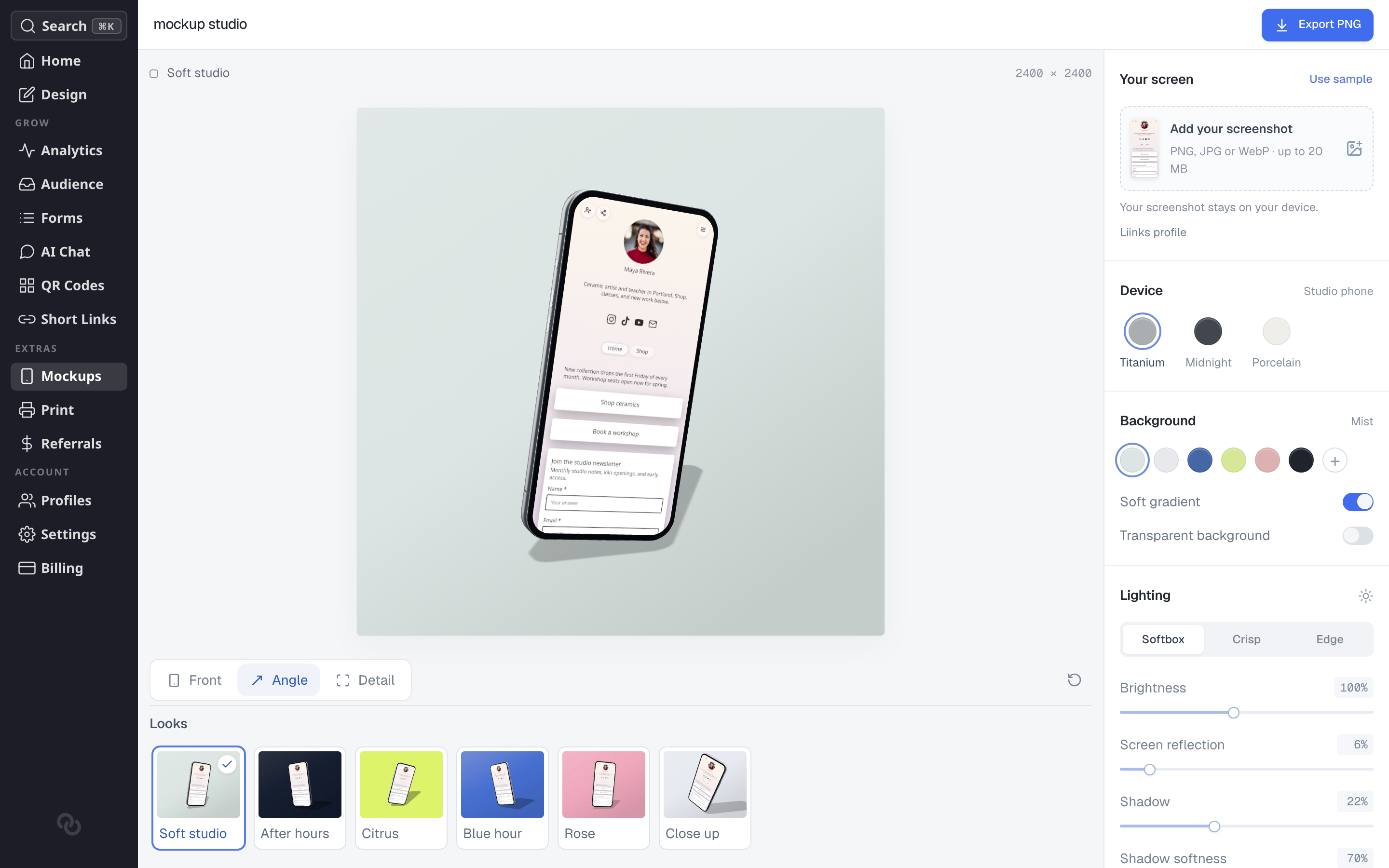
Mockups turns your Liinks page into a polished image of a phone, ready for social media, a portfolio, or a pitch deck. It is a small 3D studio: pick a look, turn the device to the angle you want, and export a PNG.
Getting started
- Open the sidebar and click Mockups in the Extras section
- Your page is captured automatically. The studio shows two steps while it works, Page then 3D studio, and the scene appears when both are done
- Pick a look, adjust anything you want to change, then click Export PNG in the top right
Everything after the first capture happens on your device. The scene is rendered in your browser, exports are free, and nothing is watermarked.
Looks
The row along the bottom is a set of one-click looks. Each one sets the background, lighting and camera together, so it is the fastest way to a finished image:
- Soft studio — Pale grey-green backdrop with a gentle shadow
- After hours — Dark, moody backdrop
- Citrus — Bright lime backdrop
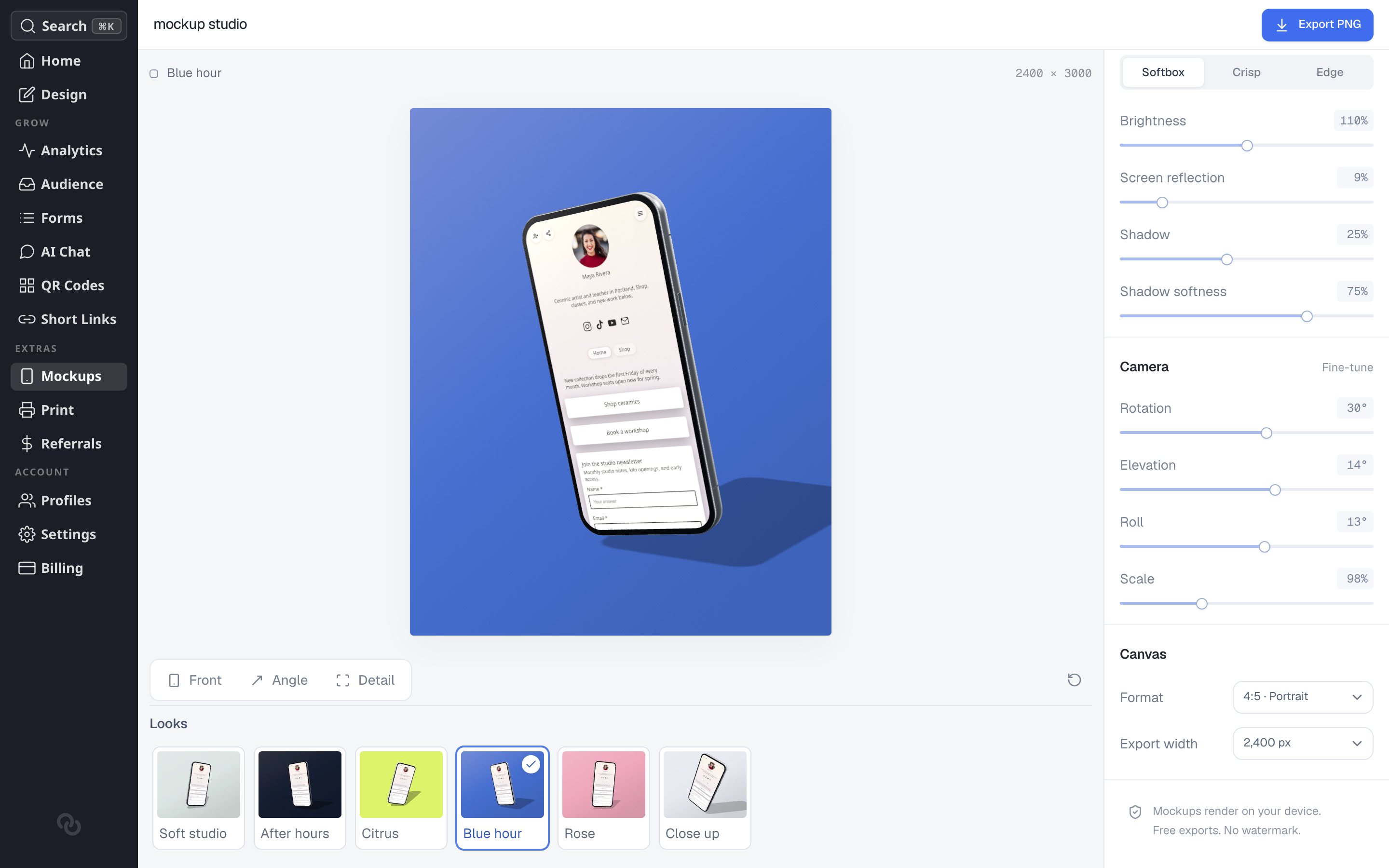
- Blue hour — Deep blue backdrop with a stronger shadow
- Rose — Warm pink backdrop
- Close up — Light backdrop with the device pulled in tight
Picking a look is a starting point, not a lock. Every setting stays editable afterwards, and the panels below all update to match what the look chose.
Your screen
This is what appears on the phone. By default it is the page you are working on, labelled Liinks page.
- Add your screenshot — Use a different image instead, as a PNG, JPG or WebP up to 20 MB
- Use sample — Swap in a sample screen to preview a look without your own page in it
Images you add stay on your device. If you want your page back after switching, leave the page and open Mockups again, which captures it fresh.
Device
The device is the Studio phone, in one of three finishes: Titanium, Midnight or Porcelain.
Background
Set what sits behind the phone:
- Pick one of the swatches, or click + to choose your own color
- Soft gradient adds a gentle falloff to the color instead of a flat fill
- Transparent background removes the backdrop entirely, so the exported PNG has a transparent area around the device. Useful when you want to drop the mockup onto something else
Lighting
- Softbox, Crisp and Edge are three lighting styles, from diffused to hard and rim-lit
- Brightness controls how strongly the scene is lit
- Screen reflection adds a subtle sheen across the phone screen
- Shadow and Shadow softness control how heavy and how diffused the shadow under the device is
Camera
- Front, Angle and Detail are quick camera positions
- Drag the device in the preview to find your own angle
- Under Fine-tune, set Rotation, Elevation, Roll and Scale exactly
The reset button at the right of the camera row puts the scene back to the look's settings if you go too far.
Canvas and export
- Format — 1:1 Square, 4:5 Portrait or 16:9 Landscape
- Export width — 1,200, 1,600, 2,400 or 3,200 pixels. The canvas size above the preview shows the exact dimensions you will get
Click Export PNG to render the image and download it.