Everyone who sends one of your forms with Create new contacts turned on is added to your Audience as a contact. The Audience page is your home for everyone who has engaged with your page, where they came from, what they have submitted, and whether they're subscribed to your emails.
Where to find your audience
Click Audience in the left sidebar of your admin dashboard, in the Grow section (between Analytics and Forms).
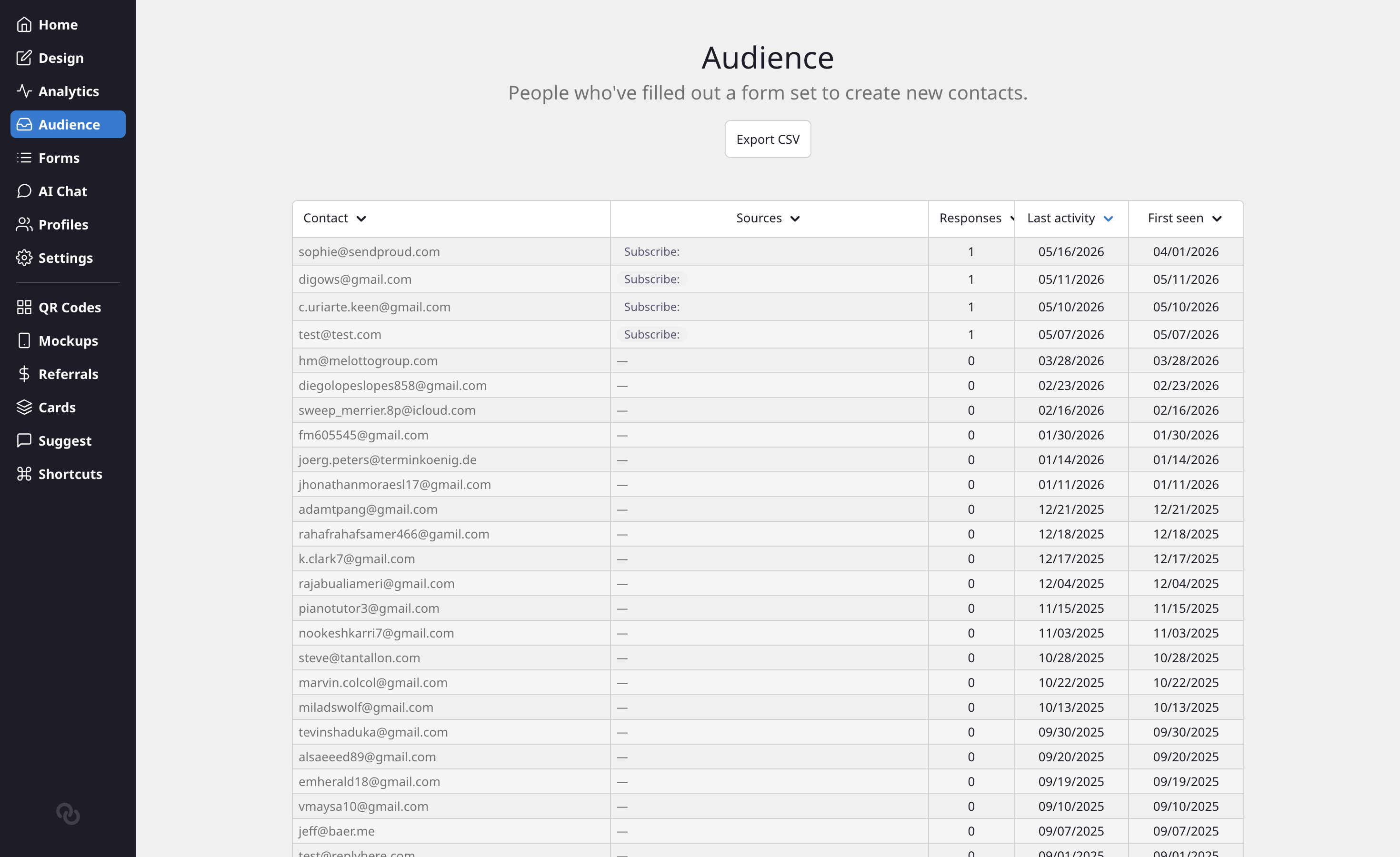
The Audience list shows each contact in a single column combining their name and email, alongside:
- Status: Subscribed if they agreed to your emails, Not subscribed if they only got in touch
- Sources: which forms or blocks they came through
- Responses: how many submissions they have made
- Last activity: when they last engaged
- First seen: when they first joined your audience
Click any column heading to sort the list.
Subscribed and not subscribed
The list opens on Everyone. Use the tabs above it to see only the contacts who are Subscribed or Not subscribed, with a count on each tab. Export CSV downloads the tab you're on, so export the Subscribed tab when you want a list of people to email.
Whether a contact is subscribed depends on the form they sent: each form's Subscribe to emails setting subscribes everyone who sends it, only visitors who tick an "Add me to the mailing list" box, or no one (see Forms). Once someone has subscribed, they stay subscribed, even if they later send another form without ticking the box. You can't change a contact's status by hand.
Contacts added before October 2026 are all marked Subscribed, because every form subscribed everyone back then.
View a contact
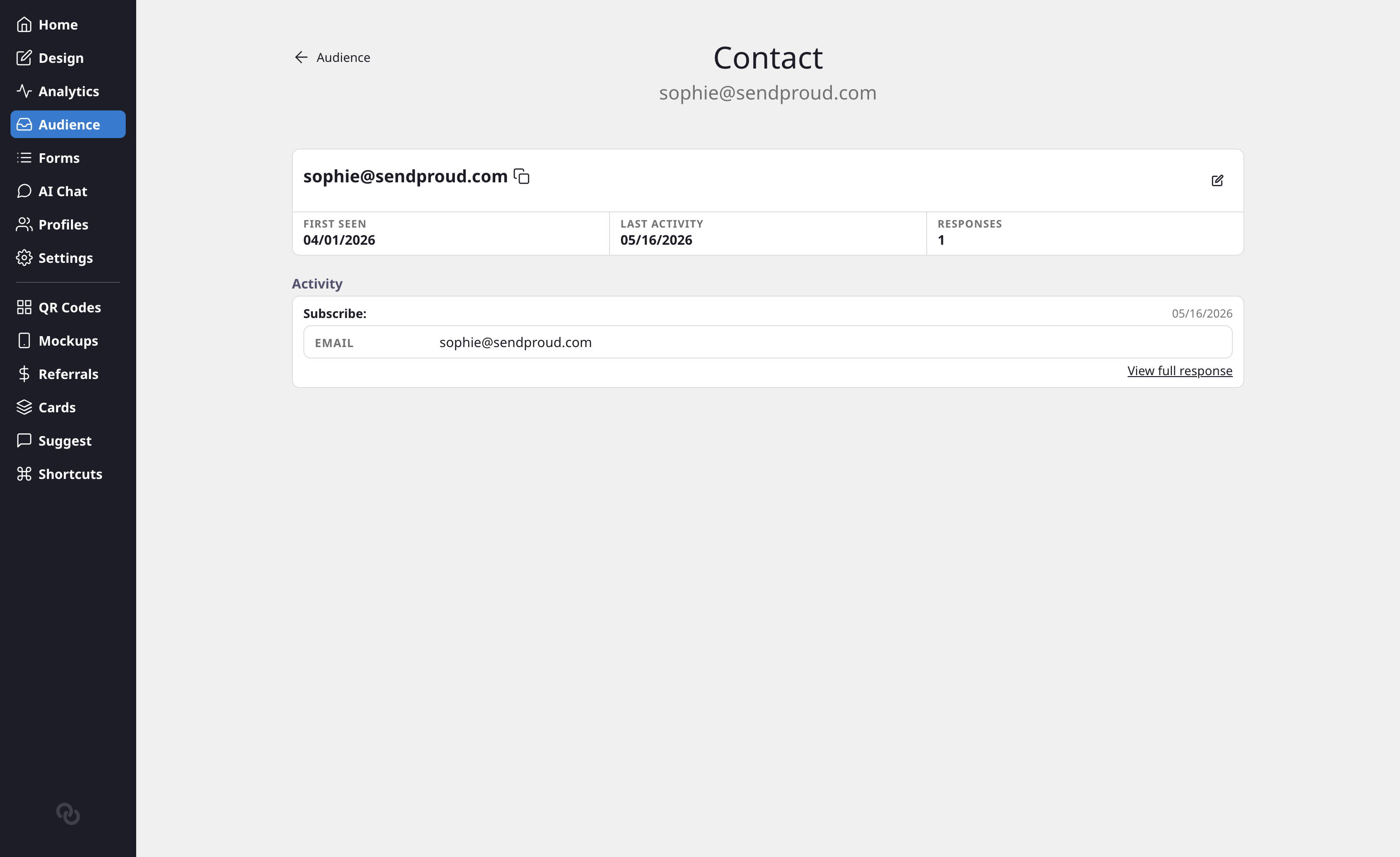
Click any contact to open their detail page. Here you can see:
- Their name and email, with a copy icon next to each so you can grab them in one click
- First seen, last activity, and total response count
- Their status: for anyone who subscribed since October 2026, also when they subscribed and through which form
- An Activity section listing every form they have submitted, with the answers shown inline. The most recent response is expanded automatically, and each row has a View full response link for the complete submission.
If a contact has not submitted anything yet, you will see a short empty state instead of the activity list.
Edit a contact
Need to fix a typo or update someone's details? Click the edit icon on the contact page to switch to edit mode, where you can update the first name, last name, and email. Click Save to apply your changes or Cancel to discard them.
Where this connects
Anyone who submits a form with Create new contacts turned on lands here automatically. To start collecting sign-ups, see How to Collect Email Signups.
Liinks doesn't send emails to your subscribers itself. If you use Mailchimp, Klaviyo, Flodesk or Kit, connect it and each new subscriber is added there too. See Send subscribers to your email service. If someone unsubscribes in your email service, their status here doesn't change.