⚠️ Please read before requesting verification: ⚠️
- We are only able to verify via Twitter, Instagram or TikTok
- Before requesting verification, please ensure you have AT LEAST a Twitter, Instagram or TikTok social icon that is:
- Correctly linking to the profile on the corresponding social network (test that the link is correct before requesting)
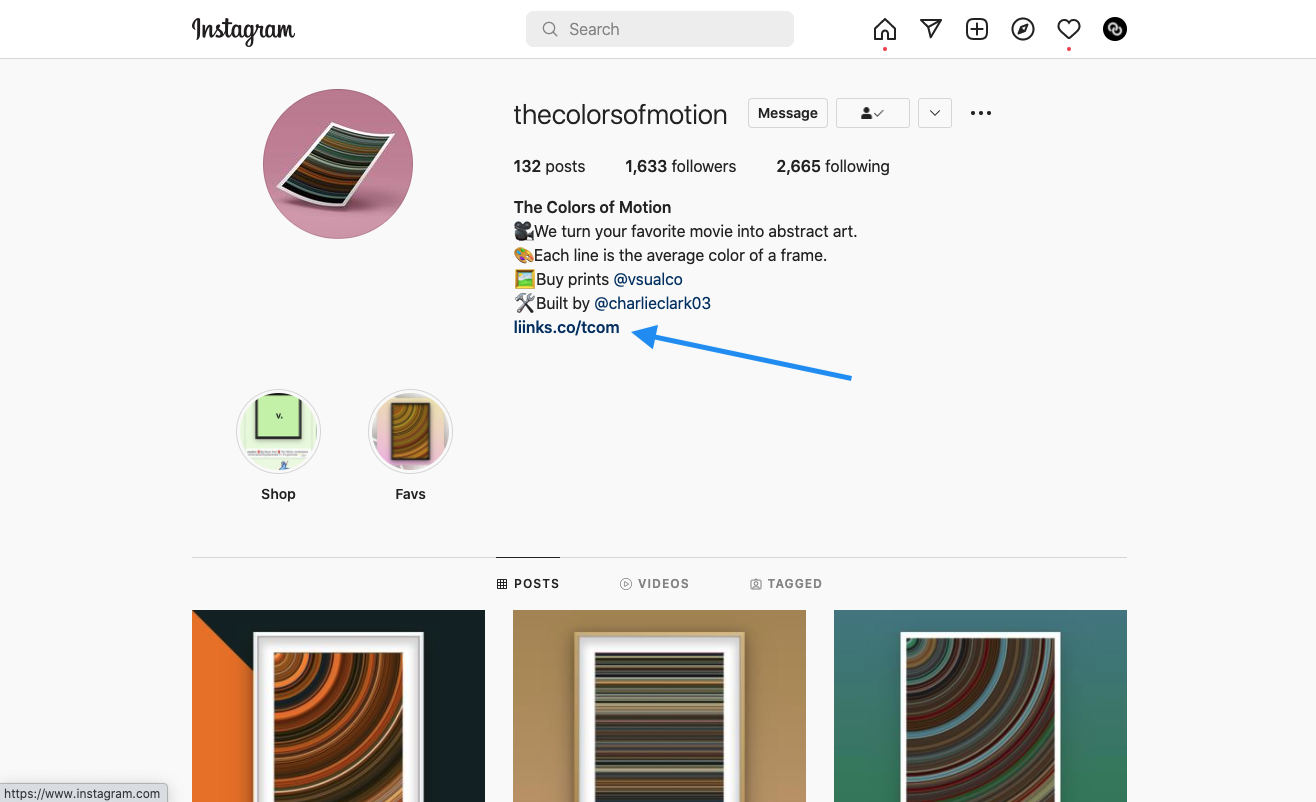
- The social network links back to your Liinks page via the link in bio
In addition, please note the following requirements:
- Your profile must NOT violate our Terms of Service content policy
- Your profile must represent a legitimate personal or business identity
- Your linked social network(s) must display authentic content:
- No private accounts
- No empty accounts
- No celebrity fan accounts
- No "new" accounts (0 or very few followers)
Detailed instructions:
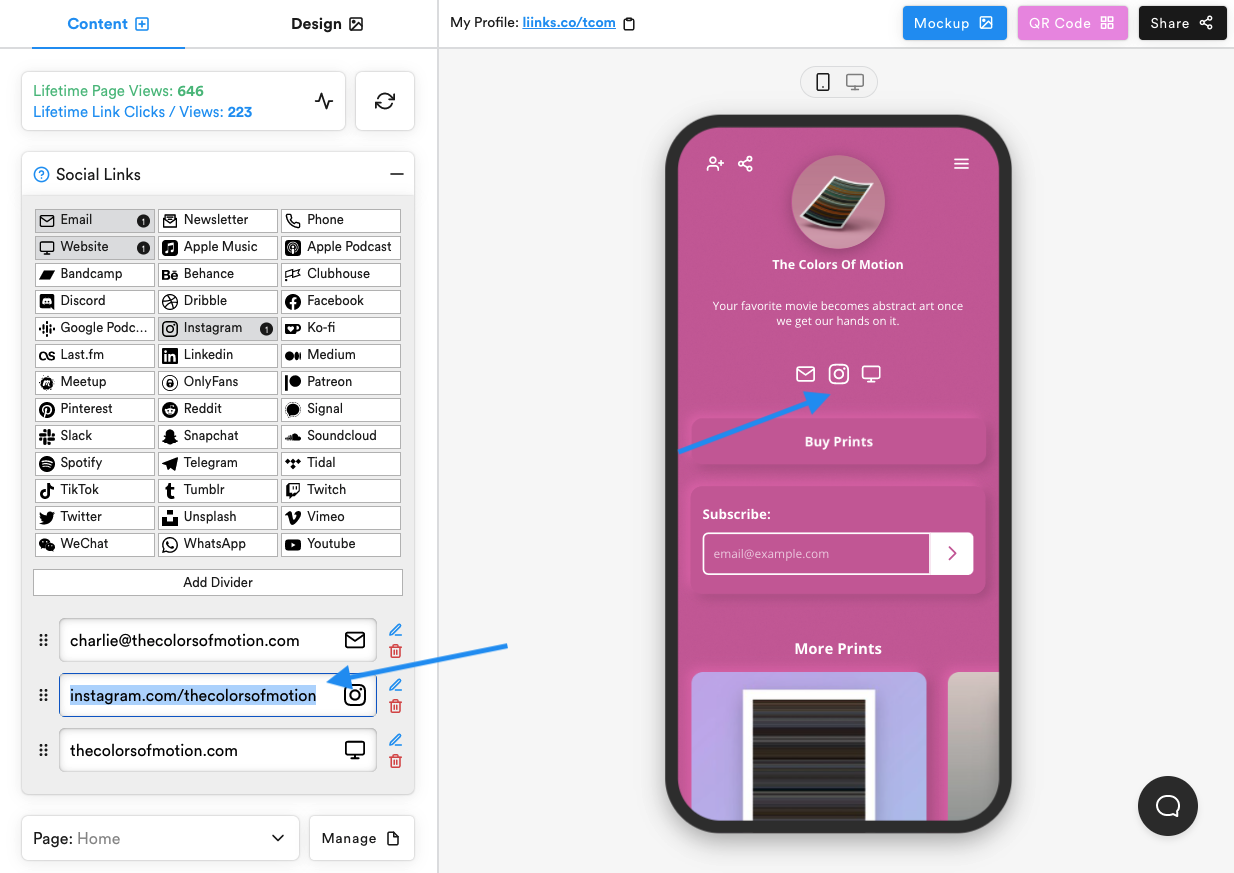
- Add Instagram/Twitter/TikTok Social Icons and make sure your icon(s) link out to a valid profile
- Make sure the Instagram/Twitter/TikTok profile(s) link back to your Liinks page
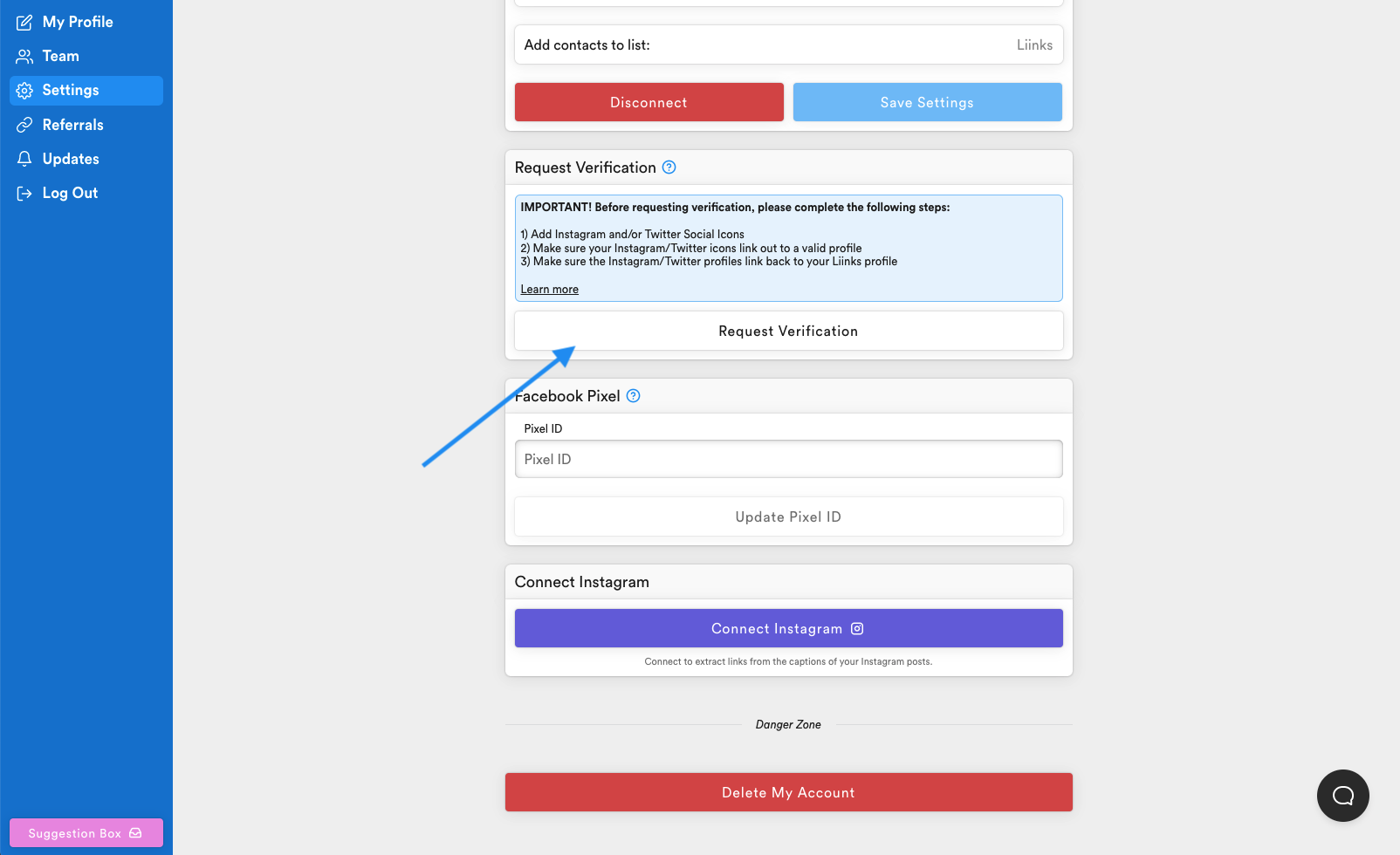
- Request verification on the settings page
-
We will review your profile within 72 hours. If you have completed the steps above, your profile will be verified.
-
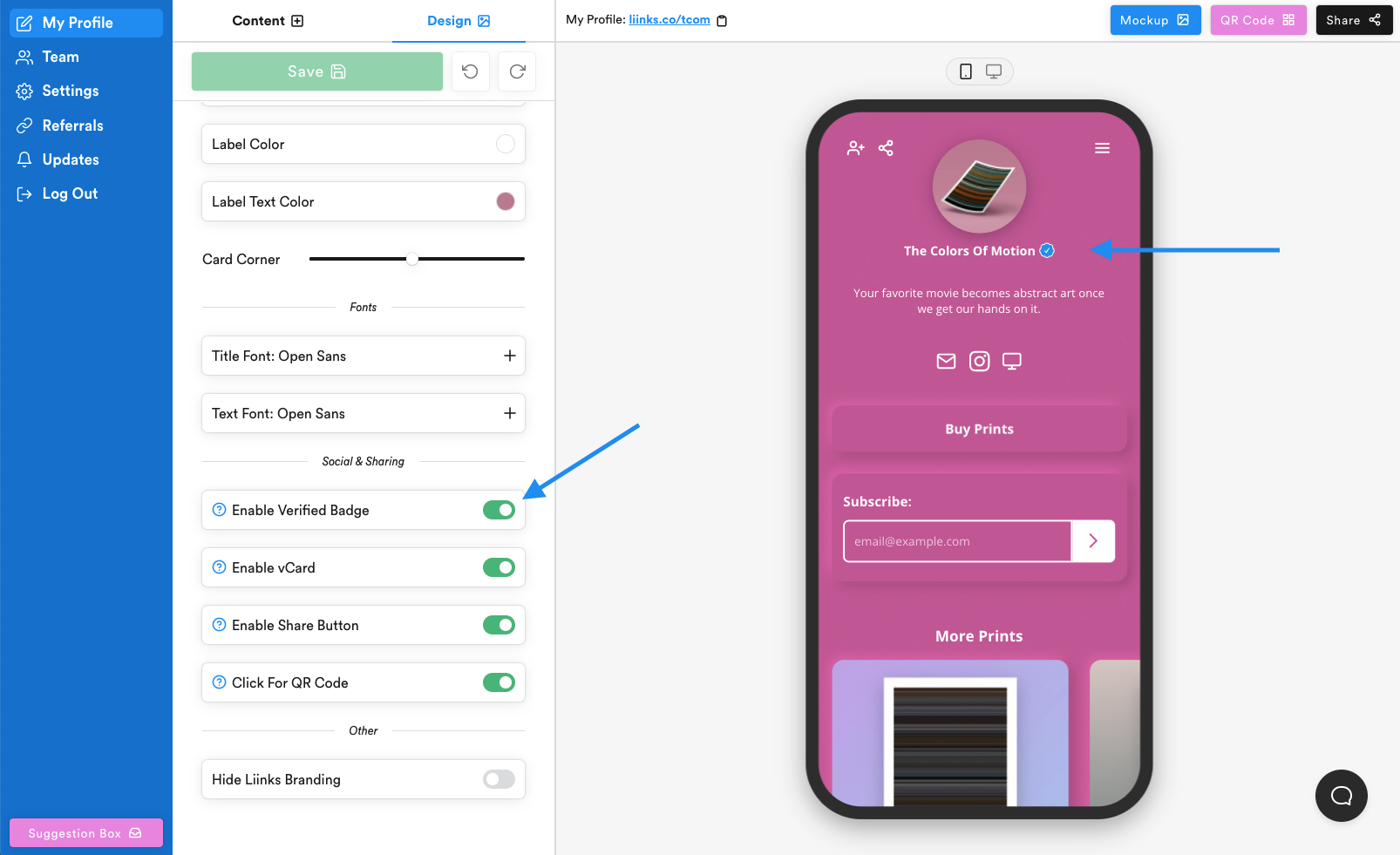
You can control whether to show or hide the badge with Enable Verified Badge in the design panel