The FAQ block lets you add a section of expandable questions and answers to your Liinks page. Visitors can tap on any question to reveal its answer, accordion-style.
How to add an FAQ block
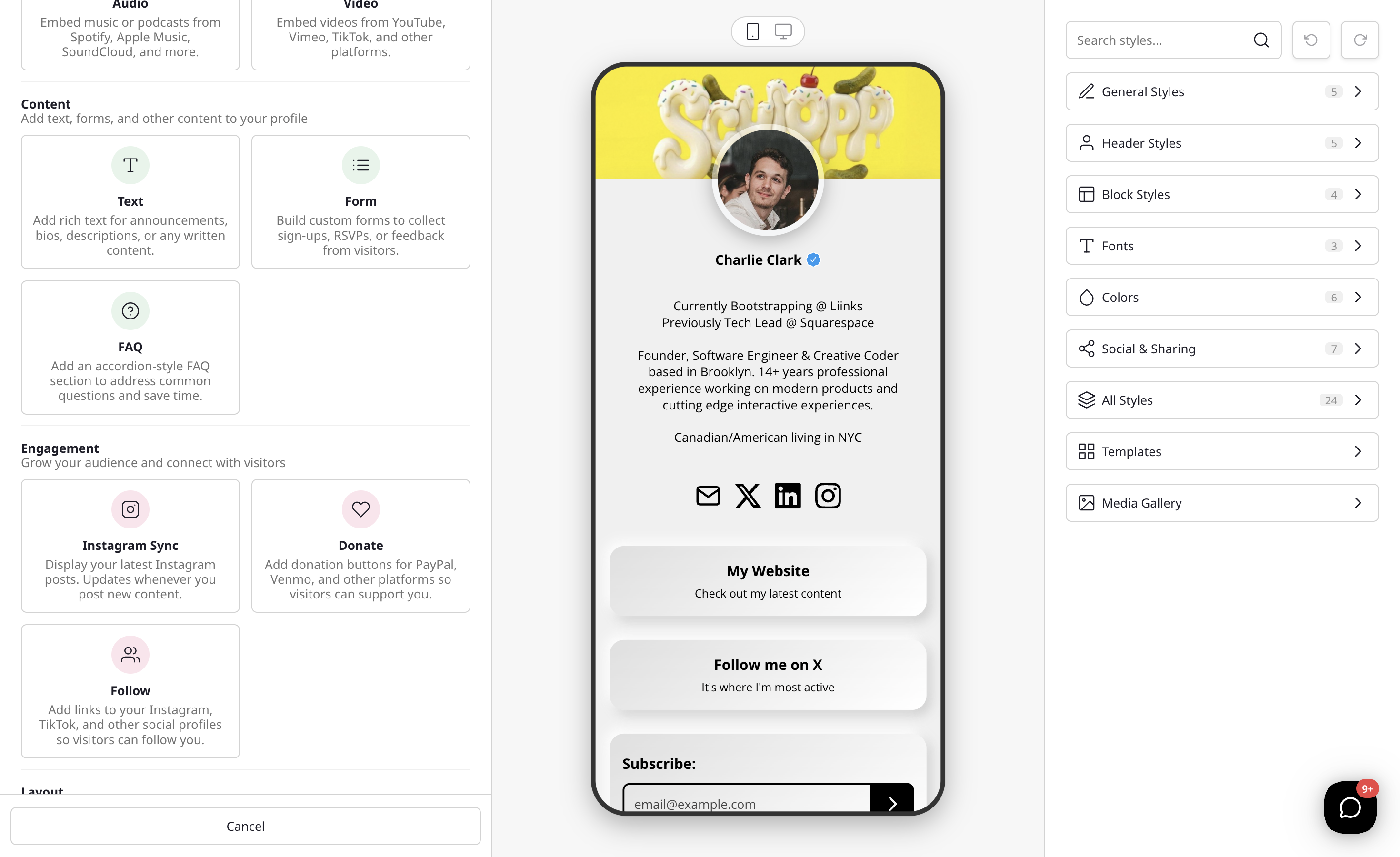
- Click the Add Block button on your page editor.
- Scroll down to the Content section and select FAQ from the block type list.
- The FAQ editor will open where you can add your questions and answers.
Adding questions and answers
- Click Add Question to add a new question/answer pair.
- Enter the question text that visitors will see.
- Enter the answer text that appears when the question is expanded.
- Add as many Q&A pairs as you need.
Customizing your FAQ block
Under the Heading section of the editor, you can set:
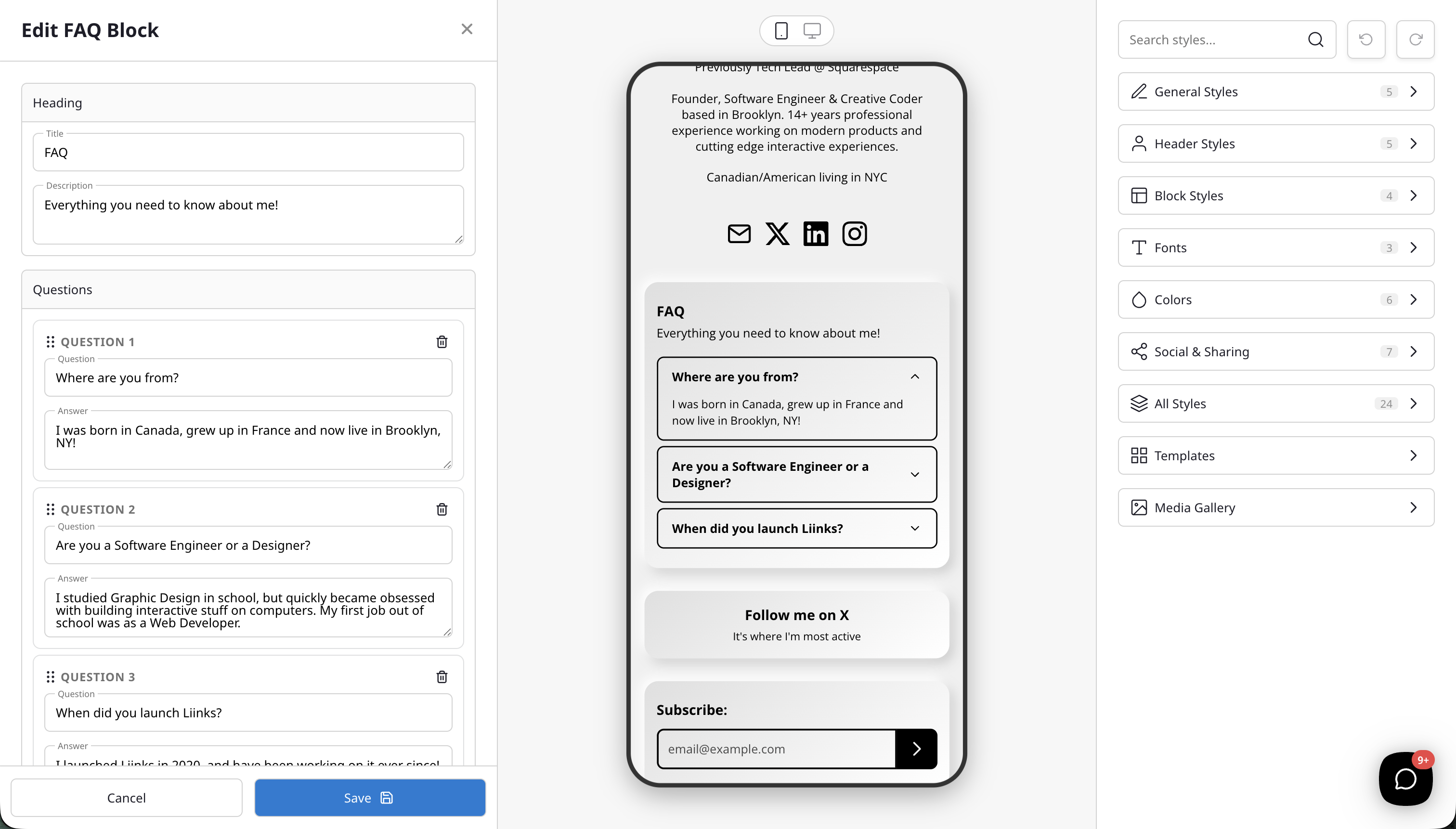
- Title — A heading displayed above your FAQ items (defaults to "Frequently Asked Questions").
- Description — Optional text below the title to provide additional context.
Under the Questions section:
- Reorder items — Drag and drop to rearrange the order of your questions.
- Remove items — Click the delete button on any item to remove it.
Your FAQ block inherits the global block styles from your page design, so it will match the look and feel of your other blocks automatically.
How it looks for visitors
On your public page, the FAQ block displays as a list of questions. Each question is clickable — when a visitor taps on one, the answer smoothly expands below it. Tapping again collapses it. Only one answer is visible at a time, keeping your page clean and easy to browse.
Tips for a great FAQ
- Keep questions short and specific so visitors can quickly scan for what they need.
- Front-load the most common questions at the top of the list.
- Use the FAQ block for product details, event info, pricing questions, or anything your audience frequently asks about.